
When an AI notes tool produces a good summary, it is easy to stop at the output.
While building ScribeShot, I keep coming back to another question:
Where do the notes, screenshots and conversations actually live?
That sounds like an implementation detail.
I think it is a product decision.
A note-taking app is also a data system
ScribeShot can hold more than summaries.
It can contain screenshots, questions, transcripts, study notes and a record of what I chose to save from a video.
Once a tool collects that much context, “does the AI work well?” is only one part of the design.
I also care about whether the user can understand what is stored, where it is stored and what leaves the machine when AI processes it.
Local AI changes the trade-off, not the need to think about it
ScribeShot can be configured to use a local AI model on the Mac or a cloud provider such as OpenAI.
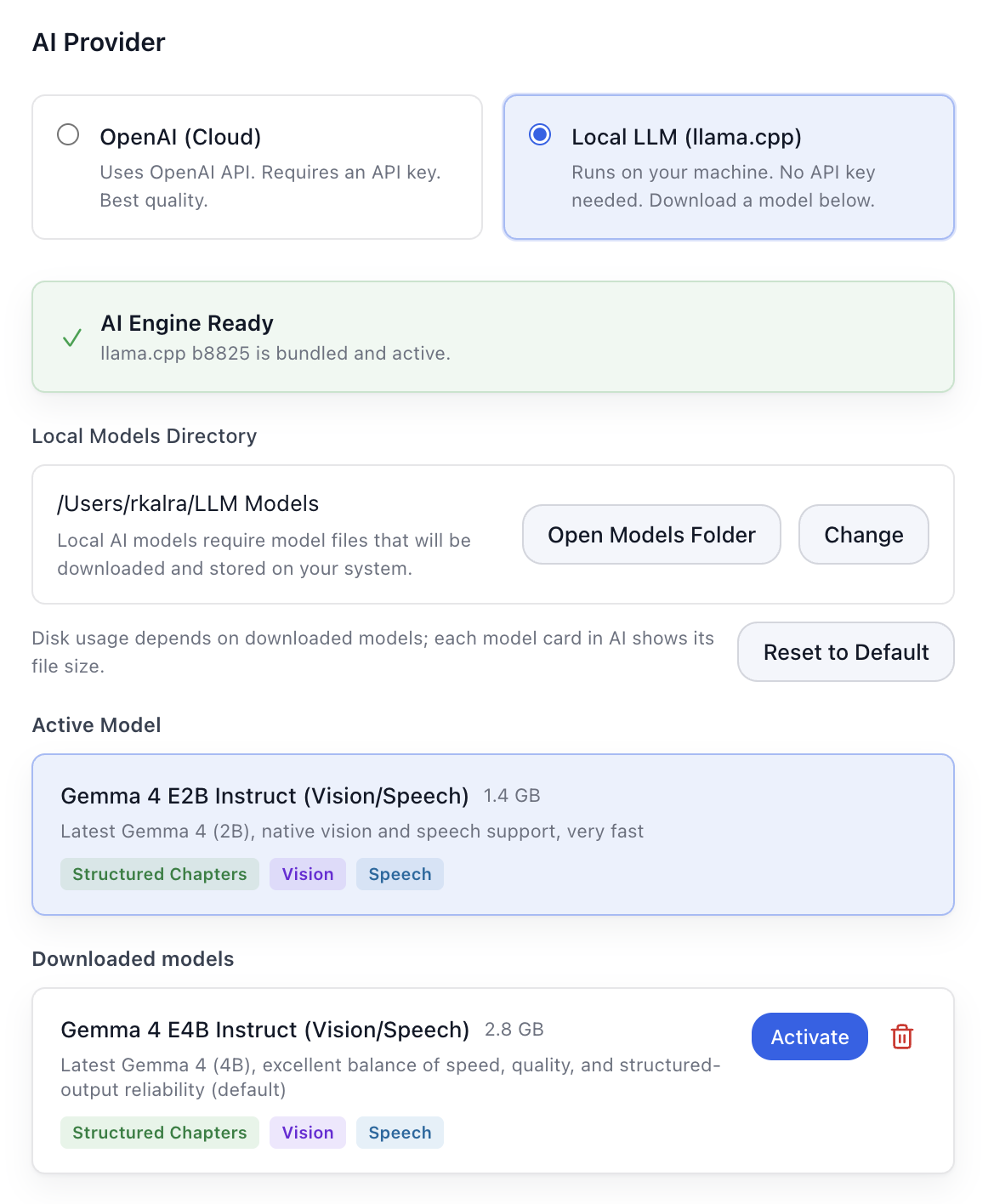
I like having that choice because the trade-off is real.
A local model can reduce how much material needs to leave the computer. A cloud model can offer different capabilities and convenience.
Neither option should be treated as magic.
The important part is making the decision visible enough that the person using the product can choose deliberately.
Boring local folders can be a feature
One of the least glamorous parts of ScribeShot is also one of the parts I value most.
The notes and related files can live in ordinary folders on the computer.
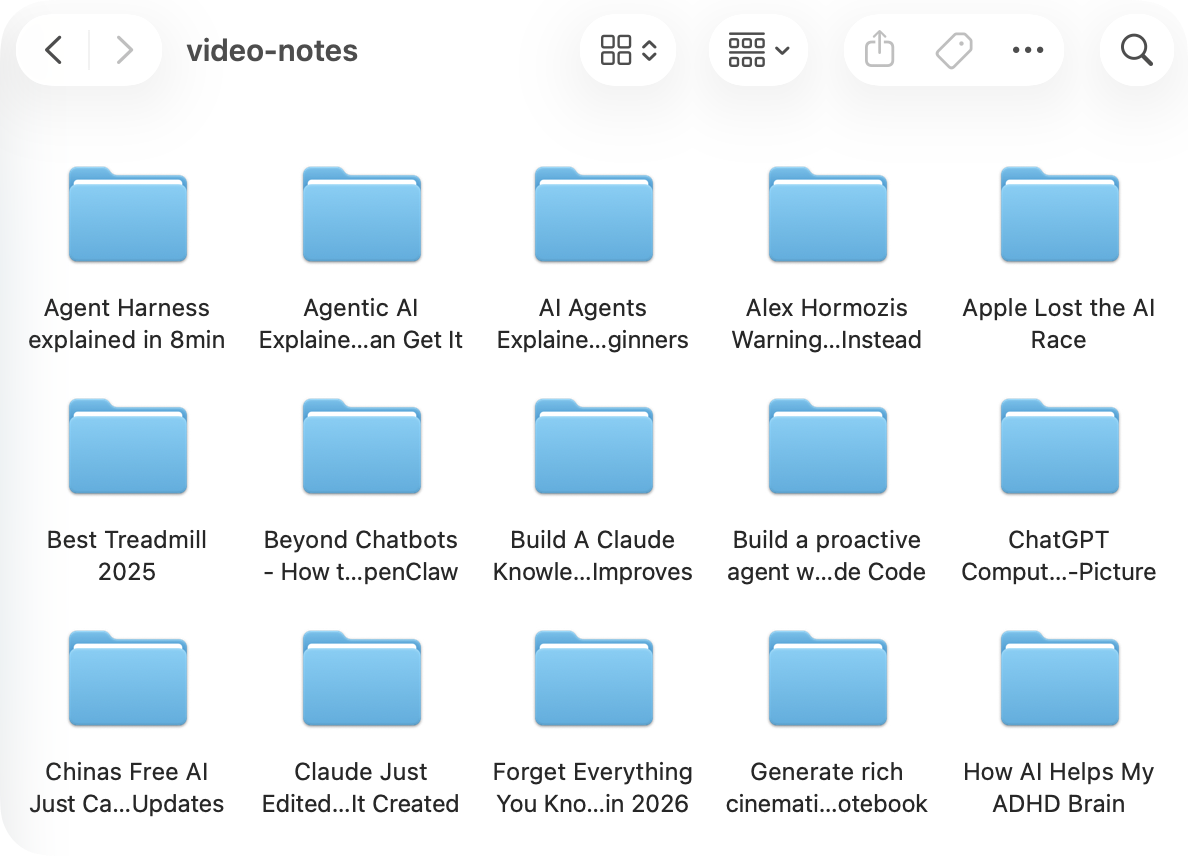
That means the learning record is not useful only inside one interface.
Tools change. Apps disappear. Workflows move.
If the underlying material is understandable and portable, changing tools later becomes much easier.
I think of this as boring portability. It is not impressive in a demo, but it matters after the demo.
Local does not automatically mean private
There is a tempting oversimplification here:
Local = safe. Cloud = unsafe.
Reality is messier.
A computer can be shared. Files can be backed up. A cloud model can still be enabled. The source material may already come from an online service.
So I prefer practical questions over labels:
- What information does the tool store?
- Where is it stored?
- When does information leave the device?
- Can I move or delete the files later?
- Which parts of the workflow depend on a cloud service?
The implementation becomes part of the interface
Most users should not need to become security engineers to use a note-taking app.
But important data choices should not be buried so deeply that they are impossible to reason about.
This has become one of my design constraints for ScribeShot:
A useful AI product should make the important data trade-offs understandable.
The quality of the summary still matters.
So does what happens to everything around it.
 ThinkBySketch