
An AI answer can sound excellent and still leave out the thing I need next:
Where did this come from?
If a tool explains a video, document or piece of code, I do not want the explanation to become a dead end.
I want a clear path back to the original moment, image or example.
This is one reason I have been building ScribeShot around screenshots, notes and source context instead of treating a generated summary as the final product.
A useful note should still point backward
When I take notes manually, I often remember more than the sentence.
I remember the diagram, the code on screen or the part of the video that made the idea click.
AI-generated notes can remove that context very quickly.
The note becomes neat. The source becomes invisible.
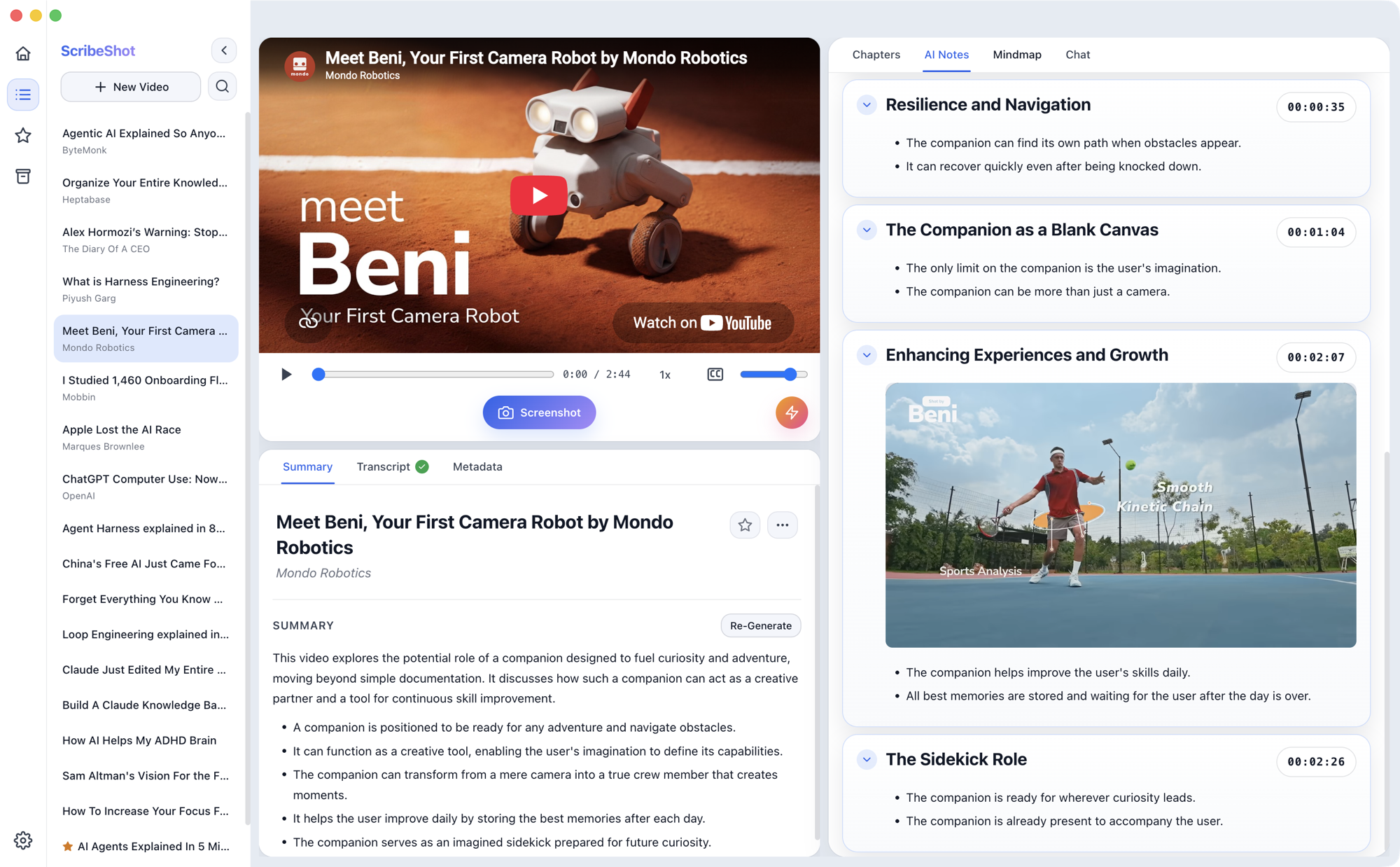
In ScribeShot, a captured screenshot can sit directly inside the notes.
I like this because the visual is not decoration. It becomes part of the evidence around the note.
“Show me where” is a useful AI habit
One prompt changes the role of the tool:
Show me where in the source this answer comes from.
Instead of acting like an authority that produces the final answer, the AI becomes a guide back into the material.
For a coding tutorial, that might mean returning to the exact code shown on screen.
For a visual explanation, it might mean returning to a diagram instead of relying on a detached summary.
Visual questions need visual context
Another ScribeShot view lets a question in chat return both text and a captured image from the material.
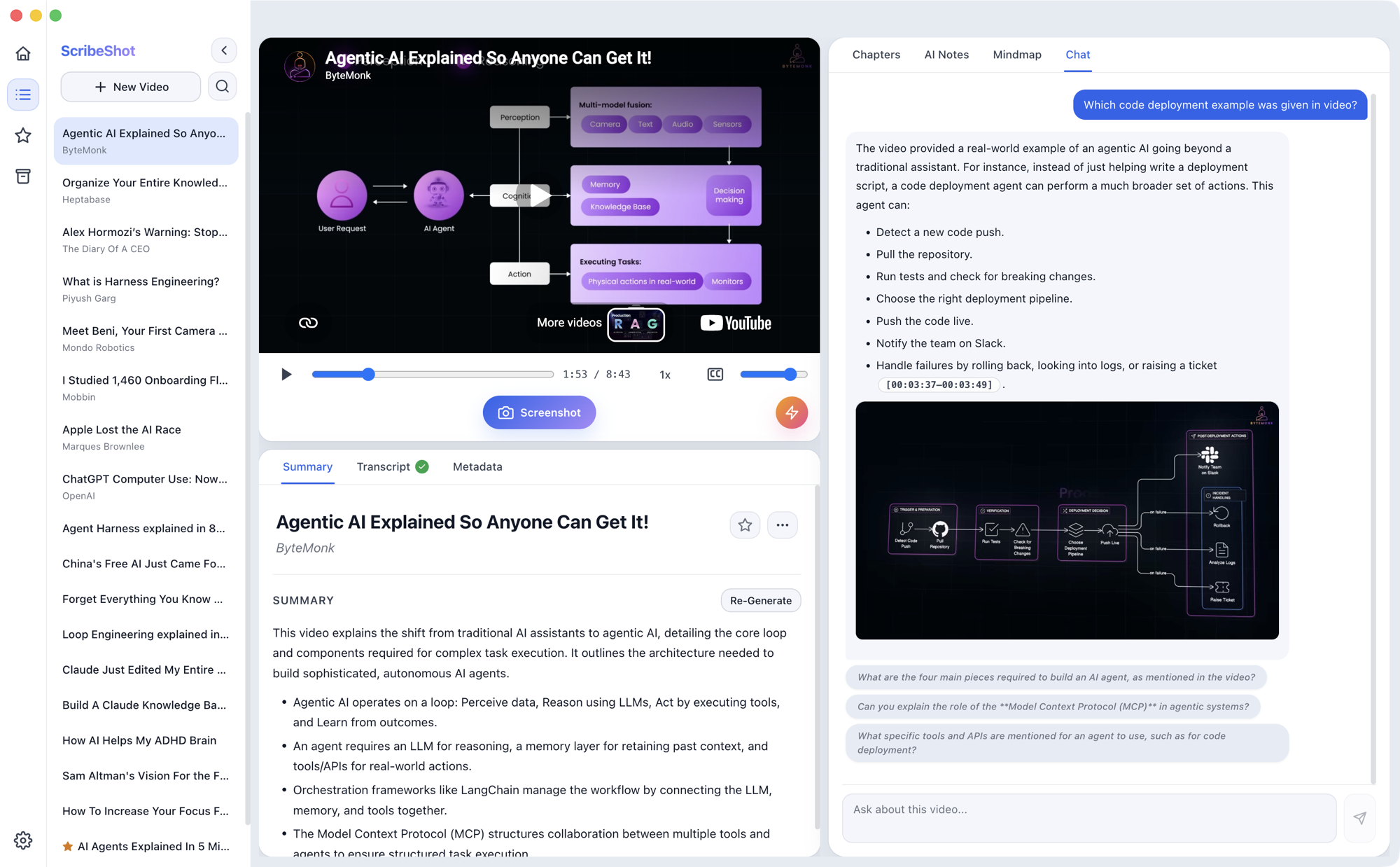
That matters because many questions are not purely textual.
“What does this diagram mean?” is different from “summarise the transcript.”
When the source is visual, separating the explanation from the visual evidence can remove part of the thing I am trying to understand.
Traceability is not the same as truth
There is an important limit.
Being able to point back to a source does not automatically make an AI interpretation correct.
The source itself may be wrong. The AI may misunderstand it. A screenshot may show only part of the context.
So I separate two questions:
- Can I see where this answer came from?
- Do I have good reasons to trust the source and interpretation?
The first is traceability.
The second is judgment.
The feature I care about is not only the answer
AI demos naturally focus on how impressive the answer looks.
I am increasingly interested in another product question:
How easily can I move from the answer back to the evidence?
ScribeShot is one experiment in that direction.
The larger principle matters beyond one app:
AI should make sources easier to inspect, not easier to forget.
 ThinkBySketch